Your wallet balance is used to purchase and bid on leads in real time. Follow the steps below to add funds.
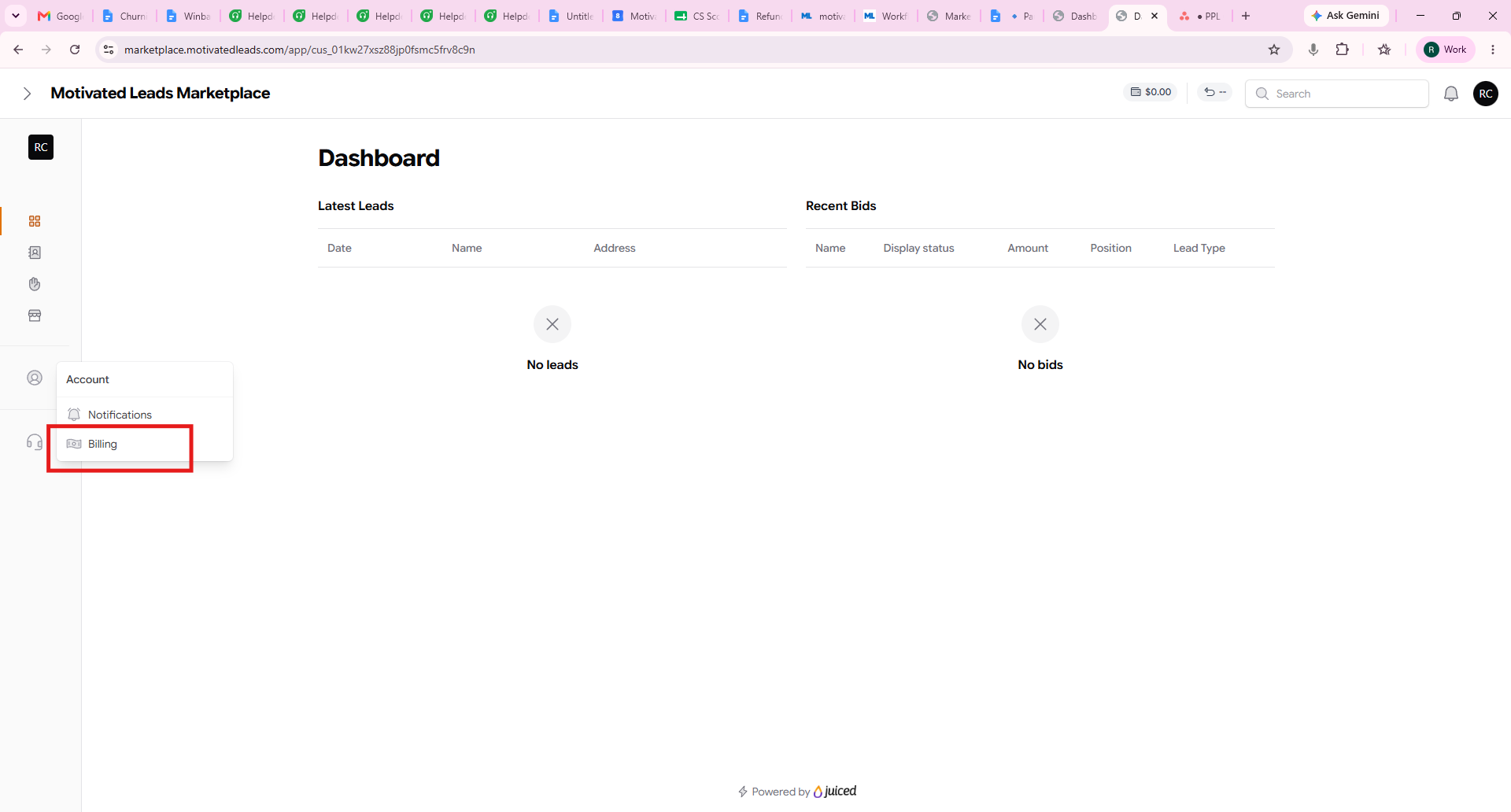
Step 1: Go to Billing
Click your Account icon in the bottom-left sidebar, then select Billing from the menu.
Step 2: Add a payment method (if you don't have one yet)
On the Payment Methods page, click New payment method in the top-right corner and enter your card details.
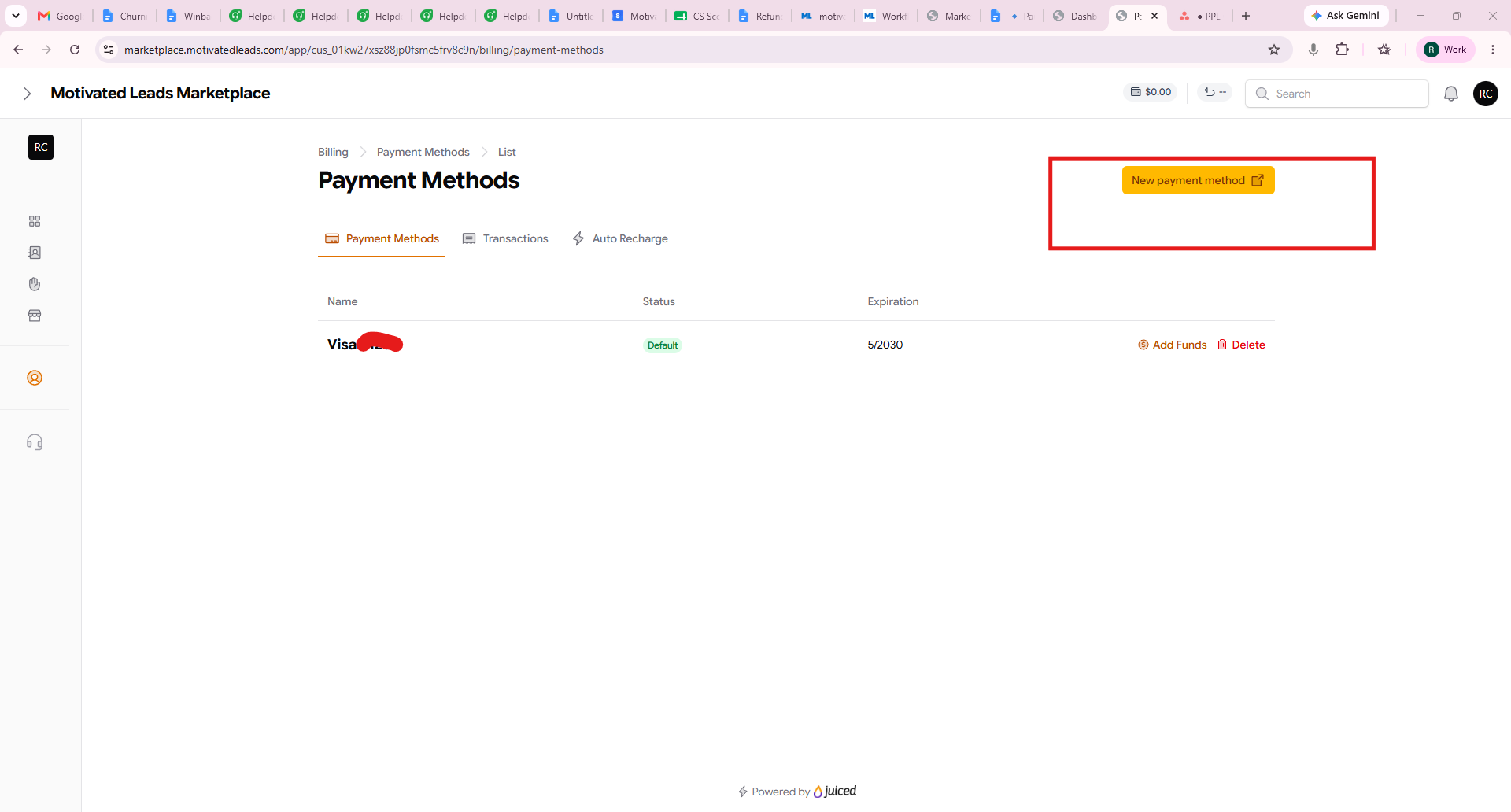
If you already have a saved card, skip to Step 3.
Step 3: Click "Add Funds"
Next to your saved payment method (e.g., your Visa card), click Add Funds.
Step 4: Enter an amount and confirm
In the Add funds to wallet window, enter the amount you'd like to add ($300.00 minimum) and click Add funds. Your selected payment method will be charged immediately.
Tip: Transaction fees are waived on your first deposit. Fees are also waived with auto recharge set up.
Was this article helpful?
That’s Great!
Thank you for your feedback
Sorry! We couldn't be helpful
Thank you for your feedback
Feedback sent
We appreciate your effort and will try to fix the article