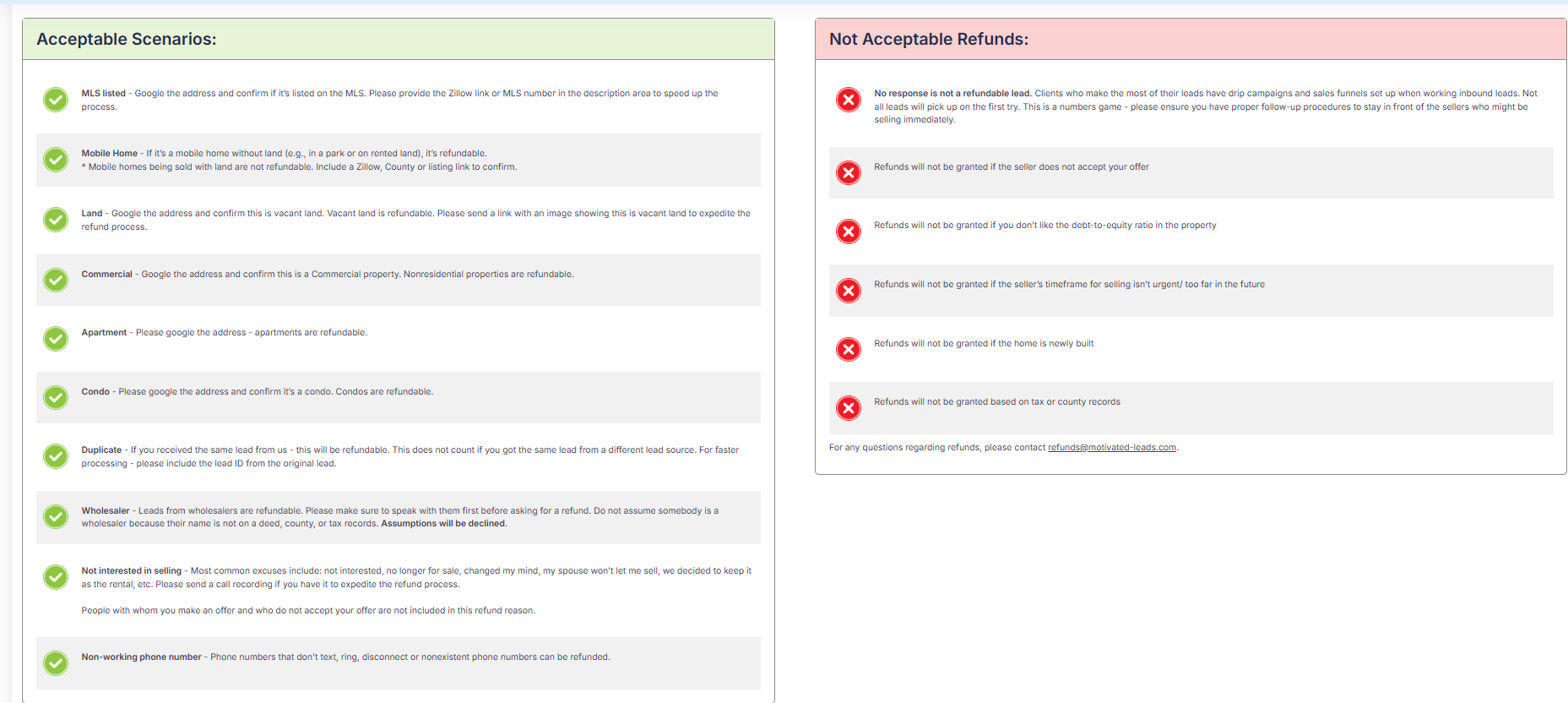
Please be sure to review the reasons we approve refunds on lead and reasons we do not approve refunds.
Once you have received a lead, there is a 5 day refund window to submit the refund request!
If you have any questions regarding refunds, please submit a support ticket and we will be happy to help!
You can also find the below image within your portal under the My Leads tab, then choose Request Refund.
To Check the Status of a Refund Request:
Was this article helpful?
That’s Great!
Thank you for your feedback
Sorry! We couldn't be helpful
Thank you for your feedback
Feedback sent
We appreciate your effort and will try to fix the article